
Problems such as overcutting, workpiece centering errors, tool-setting mistakes, CNC machine crashes and poor surface accuracy can damage tools or workpieces, increase rework and interrupt production.
Many CNC machining problems are caused by interactions among programming, cutting parameters, tool selection, workholding, setup procedures and machine operation. This guide explains six common problems, their causes and practical solutions.
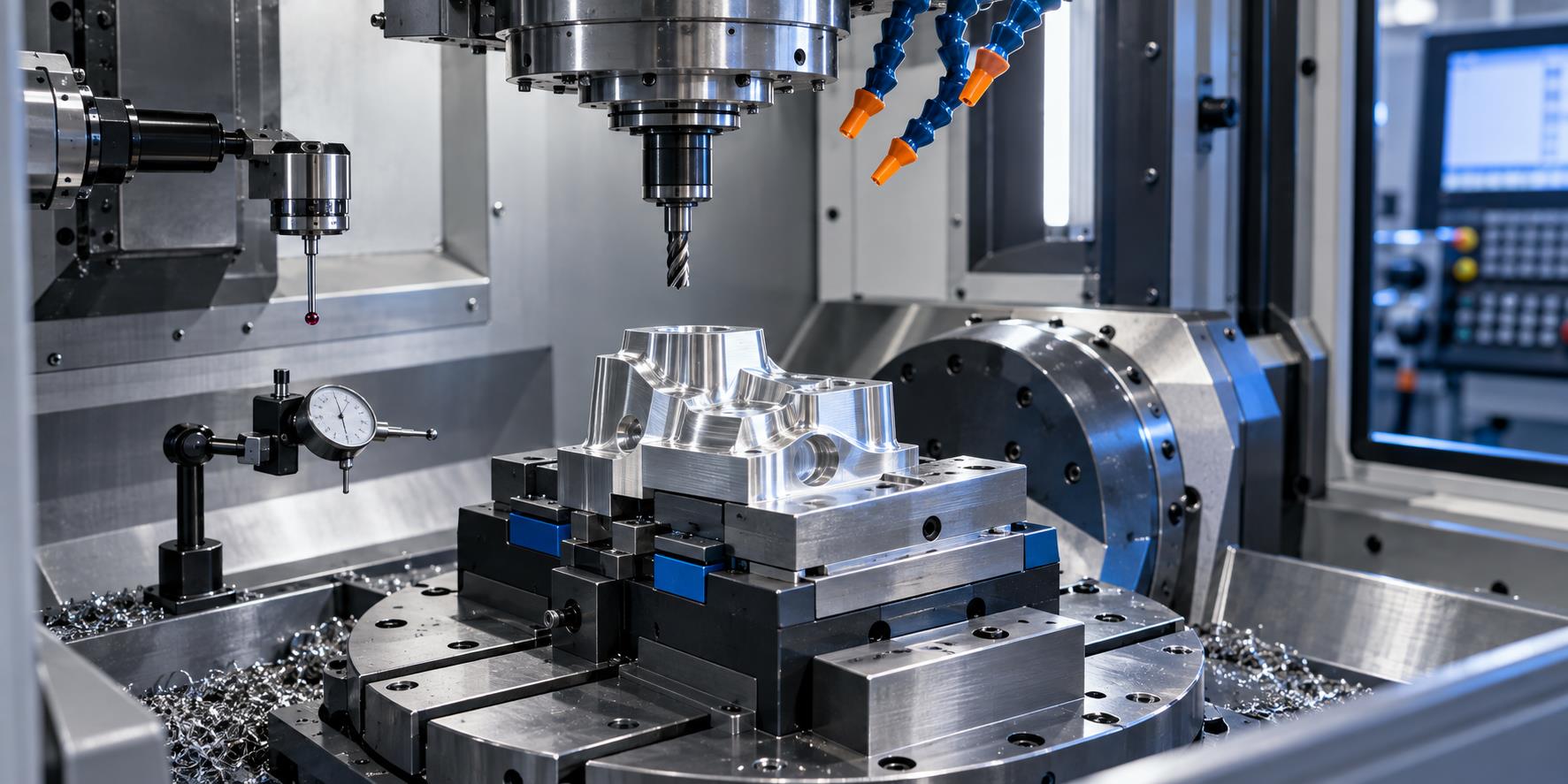
1. CNC Machining Overcutting
CNC overcutting occurs when a cutting tool removes more material than intended, creating dimensional errors or damage to the machined surface.
1.1 Tool Deflection
A tool that is too long, too small or insufficiently rigid can bend under cutting force and remove material outside the intended path.
1.2 Operator and Setup Errors
Incorrect procedures, reference settings or machine operation may lead to unintended material removal.
1.3 Uneven Machining Allowance
Large differences between side and bottom stock create changing tool loads and increase deflection risk.
1.4 Improper Cutting Parameters
Unsuitable tolerance, feed override, spindle speed, feed rate or stock settings can make the cut unstable.
How to Prevent CNC Overcutting
1.5 Improve Tool Rigidity
Use the largest practical tool diameter and the shortest practical tool length.
1.6 Control Remaining Stock
Keep machining allowances as uniform as possible on side and bottom surfaces.
1.7 Clean Corners Separately
Add corner-cleaning toolpaths and round heavily loaded corners where appropriate.
1.8 Fine-Tune the Process
Optimize cutting parameters for the real setup and use feed override carefully to stabilize the cut.
2. CNC Workpiece Centering Problems
Accurate CNC workpiece centering establishes the correct work coordinate system. A small centering error can shift every machined feature.
2.1 Manual Measurement Error
Inconsistent touch points, height or calculation can move the work coordinate system.
2.2 Burrs and Contamination
Burrs, chips and dirt prevent an edge finder or indicator from contacting the true reference surface.
2.3 Magnetized Edge Finder
Magnetism may influence contact behavior and measurement repeatability.
2.4 Non-Square Workpiece
If the sides are not perpendicular, centering from different faces can produce inconsistent results.
3. CNC Tool-Setting Problems
Incorrect CNC tool setting can cause dimensional errors, wrong cutting depths and collisions.
3.1 Manual Tool-Setting Error
Human error can occur when the reference point or entry value is not checked repeatedly.
3.2 Dirty or Incorrect Clamping
Chips or contamination between the tool, collet and holder change position and increase runout.
3.3 Insert Installation Error
Incorrectly seated inserts on face mills or fly cutters can change the effective cutting height.
3.4 Tool Geometry Differences
Radius cutters, flat end mills and face cutters do not share the same effective reference geometry.
How to Improve CNC Tool Setting
3.5 Clean Before Clamping
Use clean compressed air or a lint-free cloth on tool and holder mating surfaces.
3.6 Use One Reference
Repeat tool setting at the same reference point and verify the value several times.
3.7 Standardize the Method
Create a separate tool-setting program when needed to control differences among cutter types.
4. CNC Machine Crashes Caused by Programming Errors
A programming-related CNC collision can damage tools, fixtures, workpieces, spindles or machine components. Collision risks must be reviewed before machining.
4.1 Missing Safety Height
During rapid G00 motion, a low clearance plane may bring the tool or holder into the workpiece.
4.2 Incorrect Tool Information
The setup sheet and actual CNC program may specify different tools.
4.3 Incorrect Tool Length or Depth
The actual tool, flute length or machining depth may not match the documented setup.
4.4 Incorrect Z-Axis Data
The program sheet may use a different Z reference from the actual workpiece setup.
4.5 Coordinate-System Error
An incorrect work offset or programmed coordinate can send the tool to the wrong position.
4.6 Program Verification
Confirm workpiece height, safe planes, tool data, depth, Z reference and toolpath before full-speed execution.
5. CNC Machine Crashes Caused by Operator Errors
Not every collision starts in the CNC program. Wrong references, tools, programs or manual axis directions are also common causes.
5.1 Wrong Z Reference
The operator may reference the bottom, top or another surface differently from the setup instructions.
5.2 Centering Calculation Error
A one-side measurement without tool or probe-radius compensation produces the wrong center.
5.3 Wrong Cutting Tool
A tool with the wrong diameter or length may collide or remove incorrect material.
5.4 Wrong CNC Program
Selecting a similarly named but incorrect file can create an immediate collision risk.
5.5 Wrong Handwheel Direction
Manual jogging in the wrong axis direction may drive the tool into the part or fixture.
5.6 Unsafe Rapid Movement
Raise Z above the workpiece before risky manual X or Y rapid moves whenever appropriate.
Before cycle start, compare the installed tool with both the program and setup sheet, confirm the program sequence, and verify all coordinate results.
6. Poor CNC Machining Surface Accuracy
Poor curved-surface accuracy or finish can result from parameters, tool wear, excessive overhang, chip evacuation and toolpath strategy.
6.1 Incorrect Cutting Parameters
Unsuitable speed, feed, tolerance or stock allowance can create roughness, marks or dimensional variation.
6.2 Dull Cutting Edge
A worn tool produces inconsistent cutting forces and cannot maintain the intended finish.
6.3 Excessive Tool Overhang
Long clamping length reduces rigidity and increases vibration and deflection.
6.4 Poor Chip Evacuation
Recutting chips or inadequate coolant can scratch and damage finished surfaces.
6.5 Improper Toolpath
Use suitable finishing paths and consider climb milling where appropriate.
6.6 Burr Formation
Machine condition, cutter geometry and toolpath exit direction all influence burrs.
7. CNC Setup and Safety Reference
| Setup Item | Reference Guidance | Purpose |
|---|---|---|
| Tool selection | Largest practical diameter and shortest practical length | Improve rigidity and reduce deflection |
| Tool clamping clearance | Approximately 2-3 mm above the workpiece according to the source process | Prevent holder or shank interference |
| Cutting-edge clearance | Approximately 0.5-1.0 mm according to the source process | Provide enough usable edge without unnecessary overhang |
| Rapid G00 safety height | Above the highest obstacle across the travel path | Prevent tool, holder, fixture and workpiece collision |
| Centering and Z setting | Repeat and verify at a consistent reference | Reduce coordinate and depth errors |
All values must be confirmed for the actual tool, holder, workpiece, fixture, machine and operation.
8. CNC Machining Troubleshooting Checklist
8.1 Tooling
Confirm tool identity, diameter, length, flute length, condition, clamping and overhang.
8.2 Workholding
Check cleanliness, burrs, rigidity, clamp clearance and workpiece perpendicularity.
8.3 Coordinates
Verify centering, work offsets, probe compensation, Z reference and program-sheet values.
8.4 Program
Confirm the correct file, tool sequence, safe height, rapid moves, depth and toolpath boundaries.
8.5 Cutting Parameters
Review spindle speed, feed, tolerance, allowance, depth and feed override.
8.6 Process Conditions
Improve chip evacuation, coolant delivery, corner cleanup, finishing passes and operator procedures.
Conclusion
Effective CNC troubleshooting requires attention to both programming and shop-floor operation. Overcutting, centering errors, tool-setting mistakes, collisions and poor surface accuracy often result from several interacting causes.
Careful verification of the program, cutting tool, setup, parameters, safety height, coordinate system and toolpath helps manufacturers reduce machining errors, prevent costly crashes and achieve more stable CNC machining results.
CNC Machining Problems FAQ
What is the best way to reduce CNC overcutting?
Improve tool rigidity with a larger, shorter cutter, keep stock uniform, add corner-cleaning paths and optimize cutting parameters.
Why does CNC workpiece centering become inaccurate?
Common causes include manual error, burrs or dirt, a magnetized edge finder and non-square workpiece sides.
How can programming-related CNC crashes be prevented?
Verify workpiece height, safety planes, tools, flute and clamping lengths, machining depth, Z reference and coordinate settings before the cycle.
Why does excessive tool overhang reduce surface quality?
Long overhang lowers rigidity, allowing greater vibration and tool deflection under cutting force.
What should be checked before pressing cycle start?
Confirm the correct program, tool, work offset, Z reference, fixture clearance, safety height and first toolpath movement.
Need Reliable Precision CNC Machining?
Zentoc provides CNC machining, tooling support and customized precision component manufacturing.
Contact Zentoc